Information
The  Information tab in RigGuide is where general details about a procedure are stored. It allows authors to explain the purpose and provide important technical information. This ensures that everyone using the procedure understands its objective and background before execution.
How it looks
The Information tab is divided into several parts to help organize and display procedure details. Here’s a breakdown of the key elements you will see:
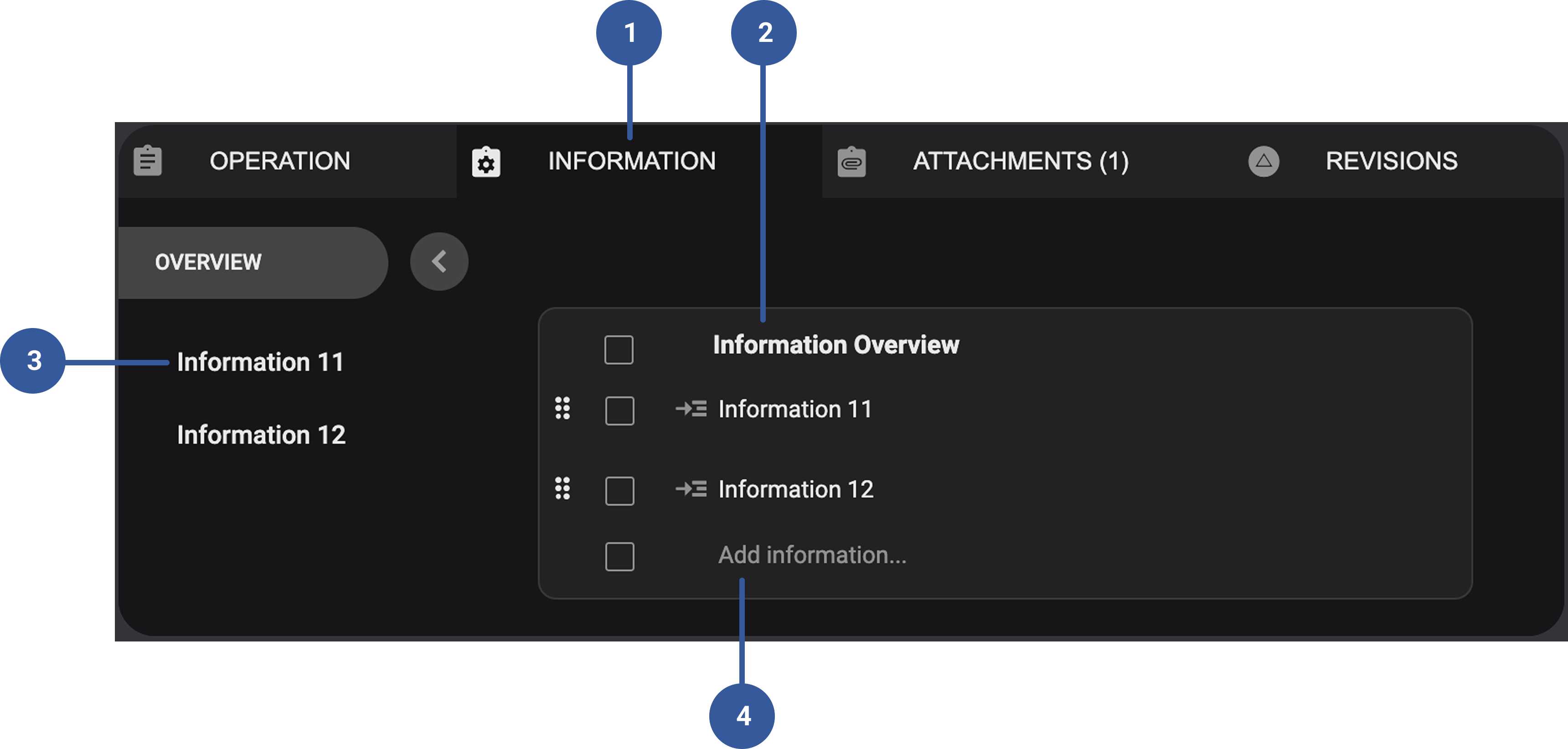
- Information tab: This is the main tab you click to access general procedure details. Its purpose is to capture the objective and technical background of the procedure.
Information overview: The main display area that shows the content of the selected information category. Clicking the
 icon opens that specific section of information where you can see the written details (like objectives or technical notes).
Information list: Each entry in the list represents a section of information. You can quickly jump between different categories by clicking on them.
Add Information field: A field where you can create new entries for the
Information tab.
Step-by-step instructions
Open the procedure: Go to the procedure you want to edit or create in RigGuide.
Select the
Information tab: Click on the tab labeled Information in the procedure menu.Add general information: Enter the overall objective of the procedure and include any important technical details that apply to the whole process.
Add a section description: Open a specific information section and type in the relevant details in the description box to give context or technical notes for that category.
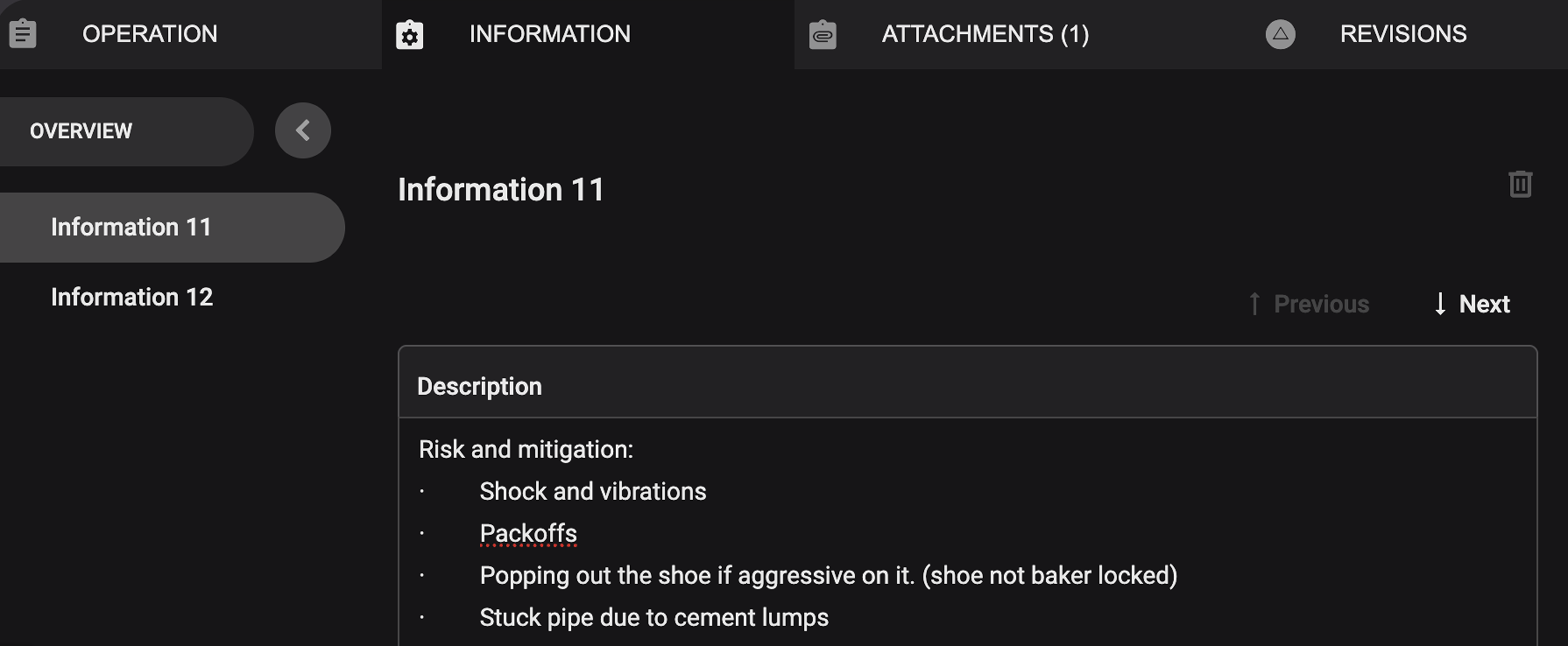
Organize with subcategories: If needed, add new subcategories or rename existing ones to make the information clearer.
Tips and tricks
Use clear and simple wording so that all crew members can quickly understand the objective.
Break down details into subcategories (e.g., "Equipment," "Safety Notes") for easier reading.
Keep information general — step-specific instructions belong in the Operation Tab instead.